Advertisements
Since February, the Federal Government has been releasing the PIS/Pasep salary bonus for the 2021 base year. For more details, check below!
Have you ever experienced the incredible moment of finding money you had lost in the pockets of a piece of clothing? However, an even better experience may be discovering that you have a PIS/Pasep balance available.
The PIS/Pasep salary bonus for the 2021 base year has been released by the Federal Government since February. Although the fifth and final payment batch is scheduled for July 17, many workers still do not know whether they have a balance available to withdraw.
How to check whether there is a PIS/Pasep balance available?
First step
The salary bonus is paid by two financial institutions. Therefore, to find out which bank you should contact, take into account your employment in 2021.
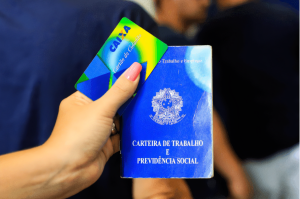
If you worked for a private company, your benefit is PIS, paid by Caixa. However, if you were a public servant, you will receive the Pasep bonus, released by Banco do Brasil. In any case, it is important to know the PIS/Pasep rules, which are as follows:
- Have received an average monthly remuneration of up to 2 minimum wages in 2021;
- Have worked in paid employment for at least 30 days during the year;
- Have the information registered in RAIS (Annual Social Information Report);
- Have been enrolled in PIS/Pasep for at least 5 years.
Second step
Now it is time to check whether there is an available balance, and you can do this through two apps: Caixa Trabalhador and Carteira de Trabalho Digital. Therefore, if your benefit is PIS, follow these steps:
- Access the Caixa Trabalhador app (available for Android and iOS);
- Log in;
- In the menu, click “Meu NIS” to check the identification number, which is the same as the PIS;
- Tap “Consultas” to check the balance.
If your allowance is Pasep, follow these steps:
- Open the Carteira de Trabalho Digital app (available for Android or iOS);
- Tap “Entrar”;
- Log in using your gov.br account;
- On the home screen, click “Benefícios” and check whether you are entitled to the salary bonus;
- To find out the registration number, click on one of the employment contracts.
PIS Calendar
| Worker's month of birth | Payment from |
| January | 15/02 |
| February | 15/02 |
| March | 15/03 |
| April | 15/03 |
| May | 17/04 |
| June | 17/04 |
| July | 15/05 |
| August | 15/05 |
| September | 15/06 |
| October | 15/06 |
| November | 17/07 |
| December | 17/07 |
Pasep calendar
| Final digit of the registration | Payment from |
| 0 | 15/02 |
| 1 | 15/03 |
| 2 | 17/04 |
| 3 | 17/04 |
| 4 | 15/05 |
| 5 | 15/05 |
| 6 | 15/06 |
| 7 | 15/06 |
| 8 | 17/07 |
Read also: Learn everything about Values to Receive